Polar delivers license keys as a purchase benefit and includes them in order receipts. Customers can manage their activations through Polar's portal without signing in.
What Polar does not cover is offline license verification, upgrade purchase flows, renewal flows for timed licenses, and flexible expiry patterns like perpetual fallback. Keyforge adds those on top of Polar, with no backend required. If you are selling subscriptions instead of individual purchases, see the Polar subscriptions guide.
Why Keyforge
Polar handles the transaction and the basics of license management. Keyforge is a purpose-built licensing platform that adds what comes after.
- Offline secure verification. Keyforge signs license data cryptographically, so your app can validate licenses locally without a network request. Polar's native license keys require an API call to verify.
- Upgrade and renewal flows. Polar's license portal handles activation management. Keyforge's portal at keyforge.dev/portal goes further, letting customers purchase tier upgrades and renew timed licenses directly, without contacting support.
- Perpetual fallback. Instead of hard-blocking on expiry, licenses can fall back to a limited mode, giving customers a natural reason to renew rather than feeling cut off.
Setting up
Prerequisites
Before starting, make sure you have:
- A product created in the Keyforge dashboard.
- A Polar organization with at least one product.
Step 1: Connect your payment account
Go to Payment Accounts in the Keyforge dashboard and connect your Polar account.
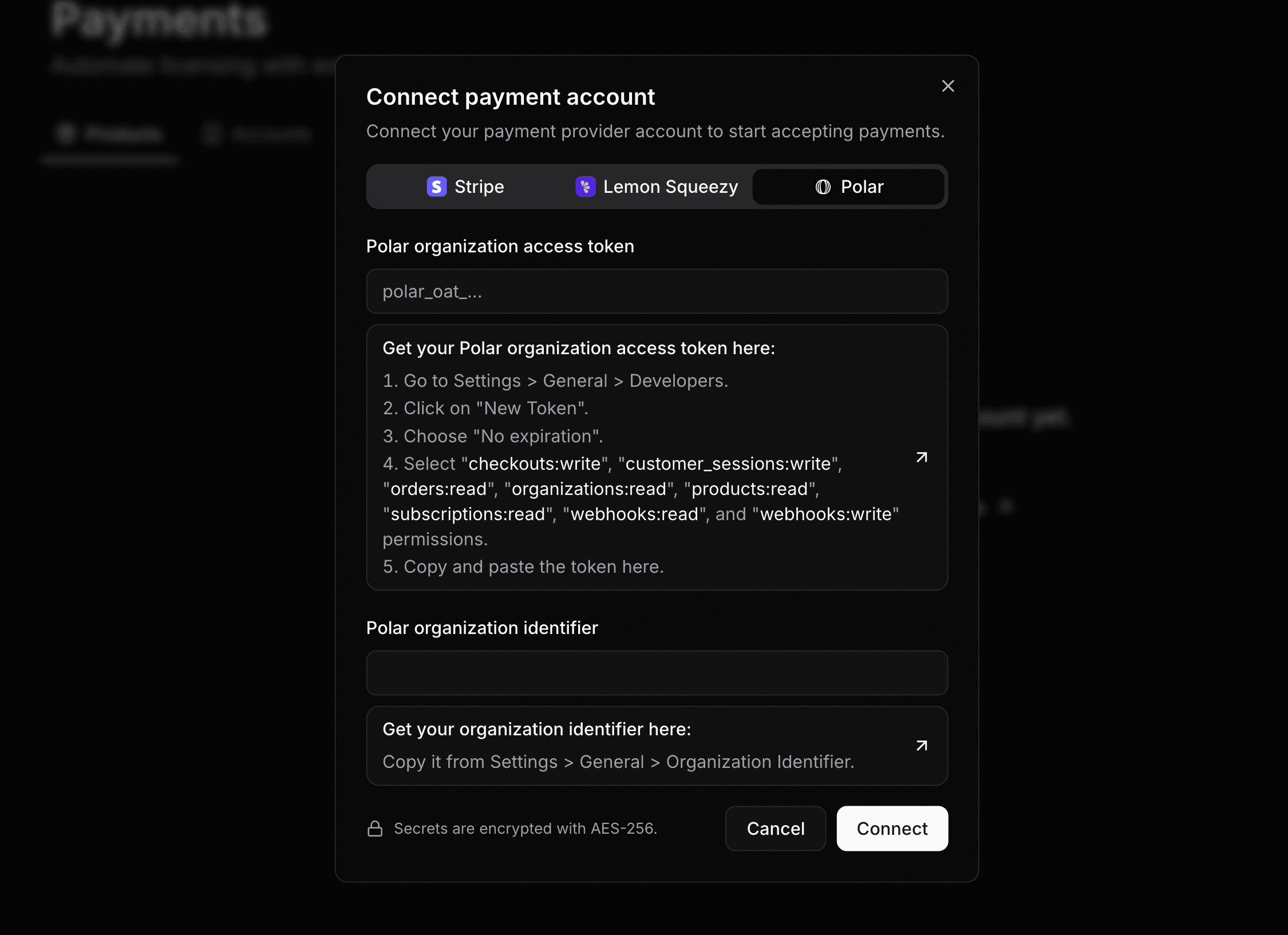
Keyforge uses a restricted API key with only the permissions it needs. Your credentials are encrypted at rest with AES-256.
Once connected, Keyforge automatically configures the webhook endpoint on your Polar organization. There is nothing else to configure on the Polar side.
Step 2: Connect your product
Go to Payment Products and click Connect product to link a Polar one-time price to a Keyforge product.
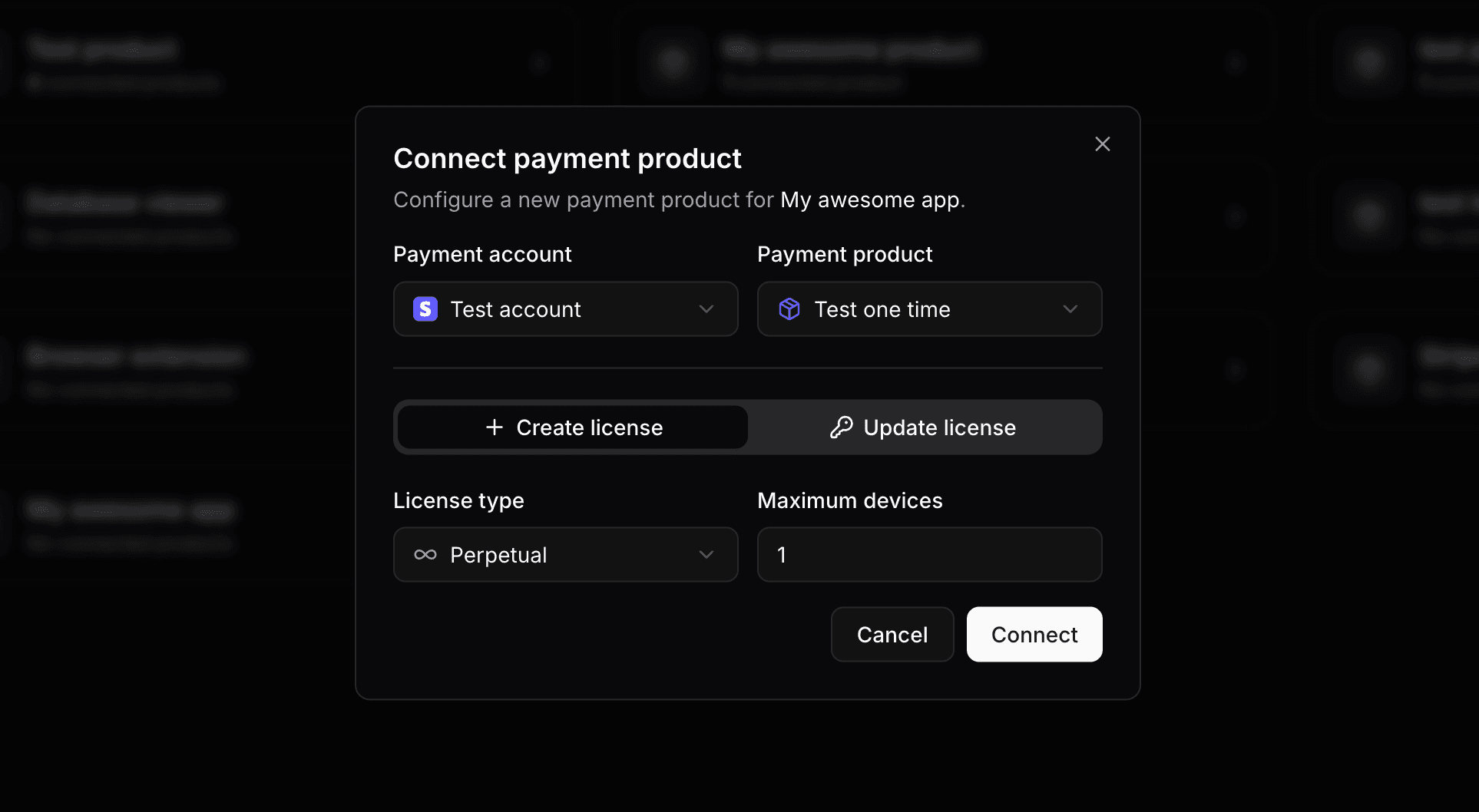
You can configure:
-
License type: the expiration behavior of the license:
- Perpetual: The license never expires. Best for a classic "buy once, own forever" model.
- Timed with offset: The license expires a fixed duration after purchase (e.g., 1 year from the purchase date).
- Timed with fixed date: The license expires on a specific date, regardless of when the purchase was made.
-
Maximum devices: the number of devices the license can be activated on simultaneously.
Fixed expiration date
If you choose a fixed expiration date and that date has already passed at the time of purchase, the created license will be immediately expired. Make sure to keep it in the future.
Step 3: Start selling
That is the full setup. When a customer completes a purchase through Polar, Keyforge automatically:
- Creates a license key based on your configuration.
- Sends the customer a personalized email with their license key.
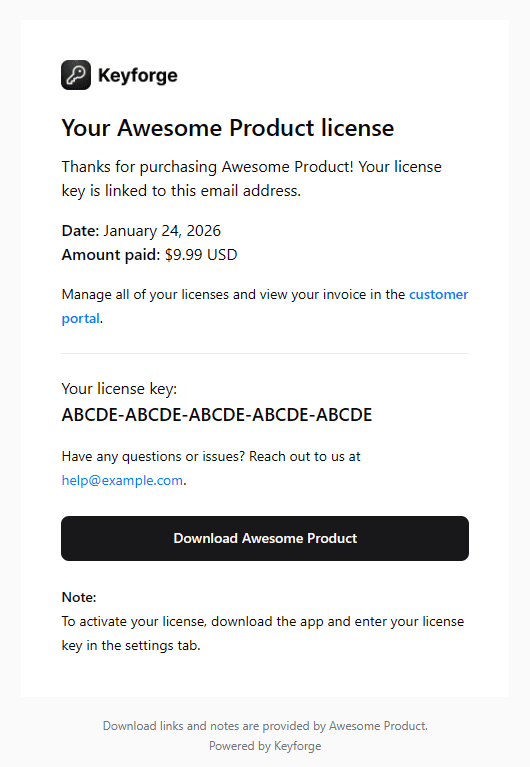
The email is sent to the address the customer provided at checkout. You can personalize it with a thank-you message, purchase notes, and a custom button, ideal for linking to a download page or onboarding flow.
License upgrades
If you sell multiple tiers (e.g., Starter, Pro, Enterprise), you can let customers purchase an upgrade directly from the customer portal without any code on your end.
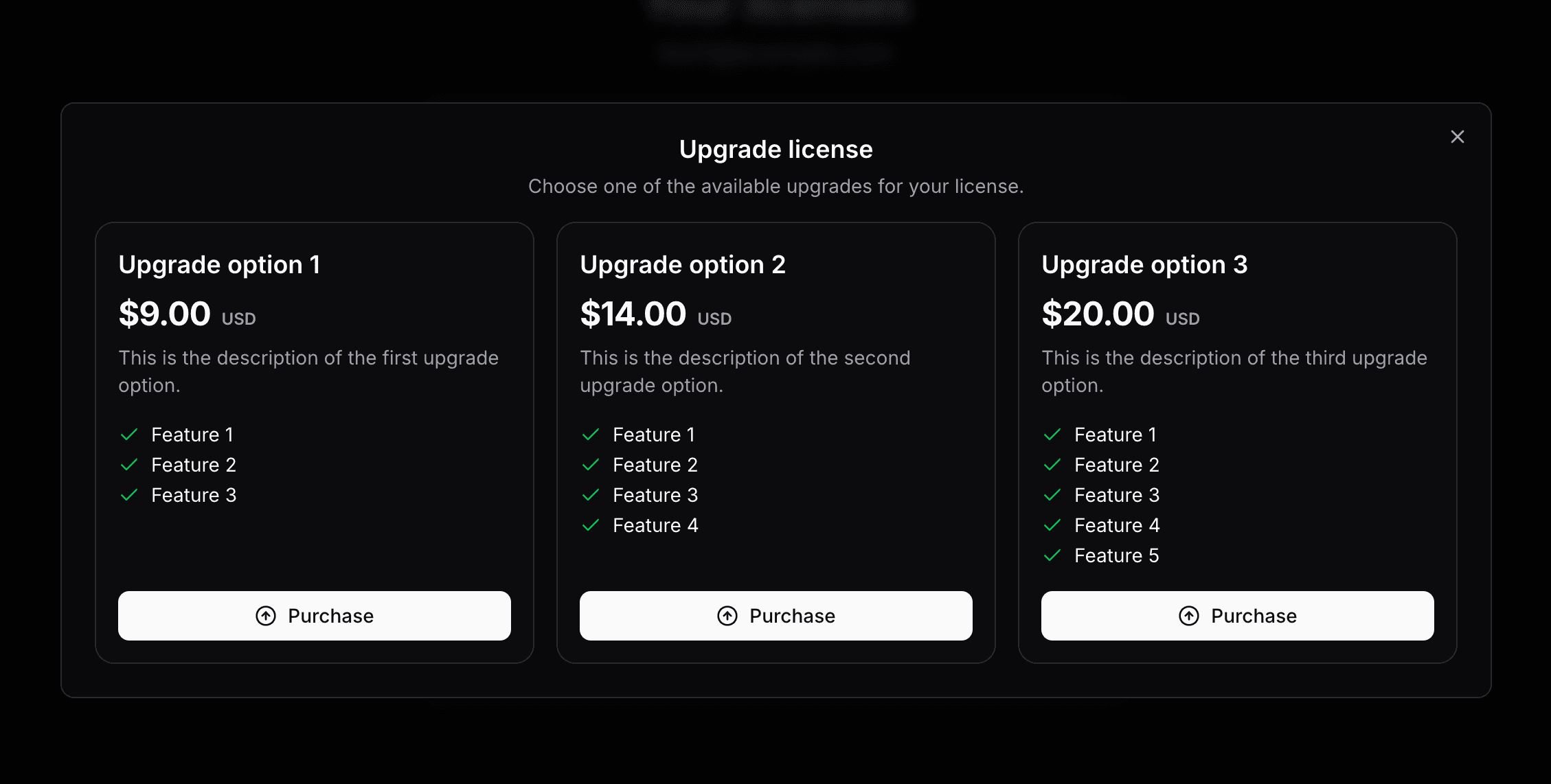
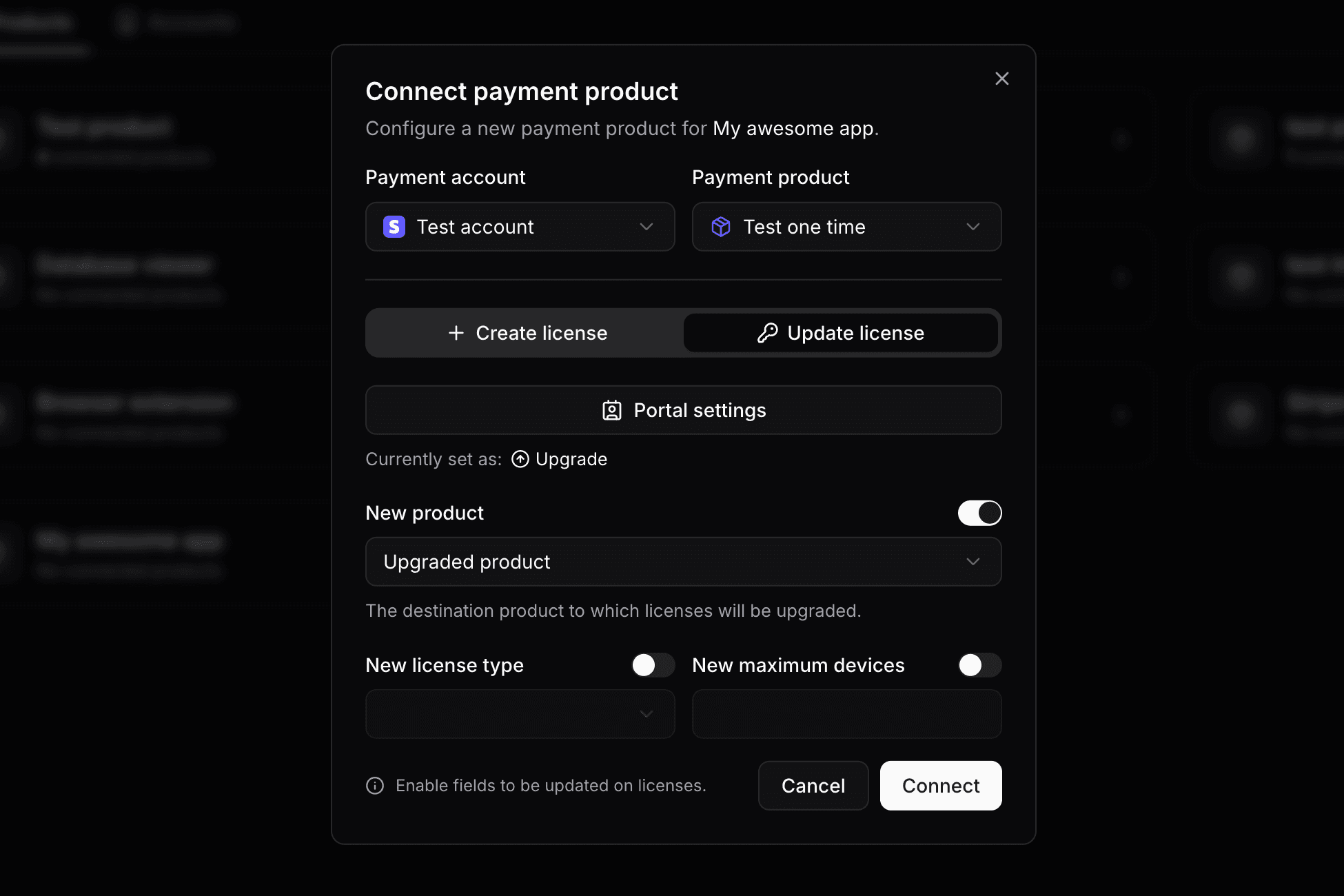
Configure up to 3 upgrade options per product in the dashboard. Each option maps to a different Polar price. When a customer purchases an upgrade, they go through a standard Polar checkout. Once the payment is complete, Keyforge automatically updates their existing license: new device limit, updated expiry, or whatever changes apply to the higher tier.
License renewals
For timed licenses, you can offer customers the ability to renew their license and extend its expiration directly from the customer portal. A renewal extends the license by a defined duration (e.g., +6 months or +1 year). You configure up to 3 renewal options per product in the dashboard.
Renewals are available only to customers with an expired license. When a renewal is purchased, the license is updated immediately.
Pairing renewals with perpetual fallback
Perpetual fallback is a product-level setting that lets customers continue using your app in a limited mode after their license expires, rather than being fully locked out. When enabled, expired licenses have a status of fallbacked.
You decide in your app how to restrict functionality, for example disabling access to new updates while keeping core features available.
const data = await res.json();

if (data.status === 'active') {
  // Full access
} else if (data.status === 'fallbacked') {
  // Expired - grant limited access
} else {
  // Invalid - prompt the user to enter their license key
}
This works well for one-time purchase licenses: customers who let their license expire can still use your app in a limited capacity, giving them a natural reason to renew rather than feeling cut off.
Customer portal
Customers manage their licenses through the self-serve portal at keyforge.dev/portal using just their email address. No account creation is needed. They receive a 48-hour access link by email.
From the portal, customers can:
- View all licenses linked to their email and manage active devices.
- Purchase upgrades or renewals for eligible licenses.
- Download invoices.
You can customize the portal per product: add a purchase note or thank-you message, include a custom button (e.g., linking to your download page), and control whether customers can reset their own device activations.
What about subscriptions?
If you want licenses automatically tied to recurring billing, see the Polar subscriptions guide. It covers the full subscription lifecycle: automatic renewals, plan changes, free trials, and perpetual fallback.
License and distribute your software product with ease
Focus on building your product and let us handle licensing. Manage license keys via payments and give your customers a smooth experience.