Lemon Squeezy supports license keys on subscriptions and handles the basics well. But keeping licenses in sync with the billing lifecycle still requires custom backend work: tying expiry to each renewal, updating configurations on plan changes, and wiring up webhooks for every event.
Keyforge connects to Lemon Squeezy and handles all of that automatically. Licenses are created when someone subscribes, extended on each renewal, updated on plan changes, and expired when the subscription ends. It also adds offline license verification and perpetual fallback, which Lemon Squeezy does not support natively.
This guide covers subscription licensing for Lemon Squeezy. If you are selling individual purchases instead, see the Lemon Squeezy purchases guide.
Why Keyforge
Lemon Squeezy handles billing. Keyforge is a purpose-built license management platform that handles the license lifecycle on top of it, with no backend required.
- Offline secure verification. Keyforge signs license data cryptographically, so your app can validate licenses locally without a network request. Lemon Squeezy's native license keys require an API call to verify.
- Full lifecycle automation. Licenses are created at subscription start, extended on every successful renewal, and expired when the subscription ends. No webhook handlers to write.
- Plan change sync and seat-based licensing. When a customer upgrades, downgrades, or changes their seat count, Keyforge automatically updates their license to reflect the new configuration.
- Free trial support. Keyforge issues a license when a free trial begins so customers get their key immediately. The license expires if the trial ends without converting.
- Perpetual fallback. Instead of immediately invalidating a license on cancellation, you can configure your app to grant limited access after the subscription lapses.
Setting up
Prerequisites
Before starting, make sure you have:
- A product created in the Keyforge dashboard.
- A Lemon Squeezy store with at least one subscription product.
Step 1: Connect your payment account
Go to Payment Accounts in the Keyforge dashboard and connect your Lemon Squeezy account.
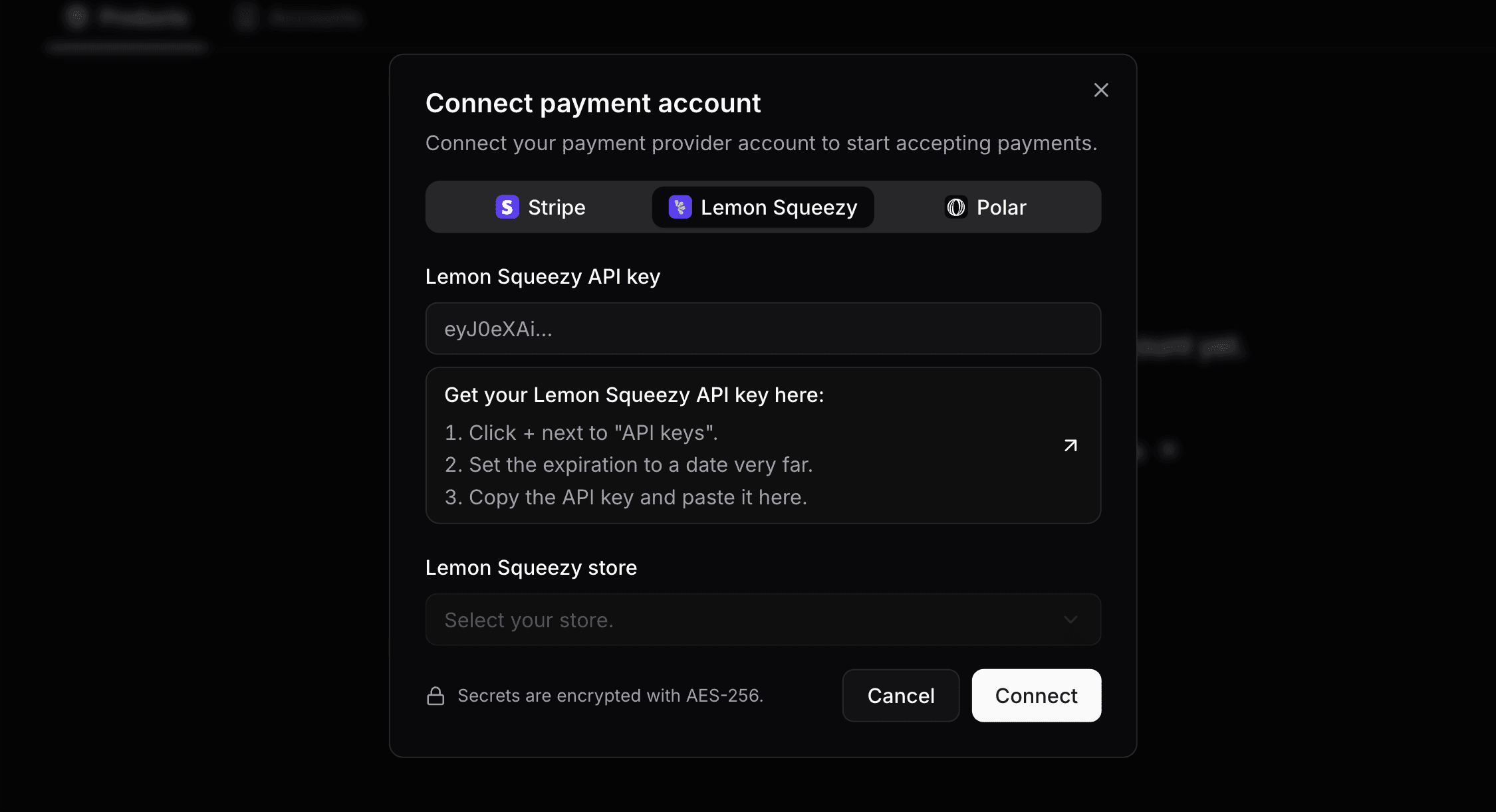
Once connected, Keyforge automatically configures the webhook endpoint on your store. There is nothing else to configure on the Lemon Squeezy side. Your credentials are encrypted at rest with AES-256.
Enable the Lemon Squeezy customer portal
For customers to manage their subscriptions (change plans, update payment methods, cancel), make sure the customer portal is enabled in your Lemon Squeezy store settings.
Step 2: Connect your subscription product
Go to Payment Products and click Connect product to link a Lemon Squeezy recurring variant to a Keyforge product.
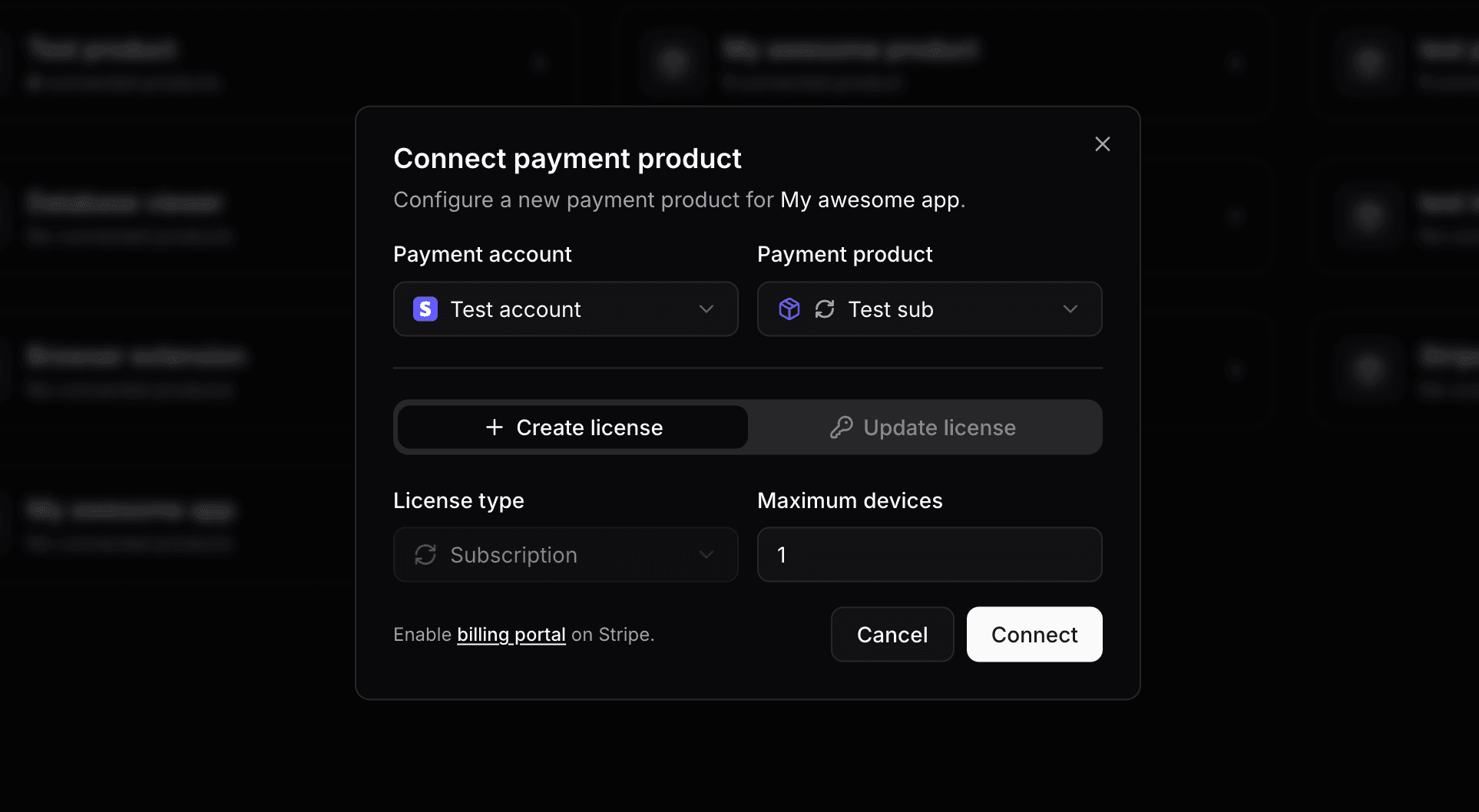
For recurring variants, Keyforge always creates a timed license. The expiration is set to match the end of the current billing period and is automatically extended every time an invoice is successfully paid.
You can configure:
- Maximum devices: how many devices the license can be simultaneously activated on.
Step 3: Start selling
With the setup complete, Keyforge handles the rest. When a customer subscribes through Lemon Squeezy:
- A timed license is created with an expiration matching the subscription period.
- The customer receives a personalized email with their license key.
- On each successful renewal, the license expiration is automatically extended to match the new billing period.
If a subscription is cancelled, the license remains active until the end of the current paid period and then expires automatically.
Managing plan changes
If you offer multiple subscription tiers (e.g., Basic, Pro, Business), connect each Lemon Squeezy variant to its own Keyforge product. When a customer upgrades or downgrades their plan through the customer portal, Keyforge detects the change and automatically updates their license to match the new product configuration.
Device limits, custom notes, and other license settings stay in sync with the customer's current plan without any extra work on your end.
Seat-based licensing
If your Lemon Squeezy product uses quantity for per-seat pricing, Keyforge automatically multiplies the license's max active devices by that quantity. A team of 5 on a plan with a 1-device limit gets a license that allows 5 simultaneous activations. When they add or remove seats, the license updates accordingly.
Free trials
Free trials work without any extra Keyforge configuration. Set up the trial period in Lemon Squeezy, and Keyforge generates the license when the trial begins so customers get their key immediately. Licenses expire if the trial ends without converting.
Perpetual fallback
Perpetual fallback is a product-level setting that allows expired licenses to remain in a limited state rather than becoming fully invalid. When enabled, expired licenses have a status of fallbacked instead of expired. Your application decides what limited access means in practice.
const data = await res.json();

if (data.status === 'active') {
  // Full access - subscription is current
} else if (data.status === 'fallbacked') {
  // Subscription lapsed - grant limited access
} else {
  // Invalid - prompt the user to enter a license key
}
For subscriptions, this is most useful when customers have built up something of value during their subscription. Some examples:
- Content access: let customers keep viewing content or exports they created while subscribed, even after cancellation.
- Offline data: keep locally cached data or downloaded assets accessible after the subscription ends.
- Grace window: give customers a short period to re-subscribe before their access is fully revoked, by comparing the expiration date to the current date.
When paired with the customer portal, customers whose subscriptions have lapsed can see their license status and re-subscribe through the Lemon Squeezy billing portal without needing to contact support.
Customer portal
Customers access a self-serve portal at keyforge.dev/portal using just their email address. No account creation is needed. They receive a 48-hour access link by email.
From the portal, customers can:
- View all their licenses and manage active device activations.
- Access the Lemon Squeezy customer portal to update payment methods, change plans, or cancel their subscription.
All billing and subscription management is delegated to Lemon Squeezy. Keyforge keeps licenses automatically in sync as billing events happen.
You can customize the portal per product: add a purchase note or thank-you message, include a custom button (e.g., linking to your download page), and control whether customers can reset their own device activations.
Conclusion
Once connected, Keyforge and Lemon Squeezy handle the full subscription license lifecycle automatically. New subscribers get a license key by email, renewals extend it, plan changes update it, and cancellations expire it at the right time, with no backend required on your end.
For individual purchases instead of subscriptions, see the Lemon Squeezy purchases guide.
License and distribute your software product with ease
Focus on building your product and let us handle licensing. Manage license keys via payments and give your customers a smooth experience.