When a desktop app license expires and the app stops working, users have three options: renew, find an alternative, or just pirate it. A hard cutoff makes all three roughly equal in effort, and it is not obvious which one wins.
The best desktop software companies figured this out a long time ago, and they landed on the same answer: never fully lock a user out. Let the app keep running in some useful state, and let the license expiry be a prompt to renew rather than a wall to climb over.
That pattern is perpetual fallback access, and it is one of the most effective things you can build into a desktop app licensing model.
What the industry figured out
The best examples come from developer tools and creative software, where users build up years of familiarity with an app and resist being cut off from it.
BBEdit never fully locks users out. Without a license, it runs in a limited mode that Bare Bones markets explicitly as "it never stops working." No user ever feels punished for not renewing, which paradoxically makes renewal far less adversarial.
Sublime Text licenses include three years of updates. After that window, you keep the last version released within it permanently. The license never becomes invalid; it simply stops covering new releases. Versions released after the cutoff require a paid upgrade.
Affinity (Photo, Designer, Publisher) made "no subscription, ever" the centerpiece of their marketing against Adobe. A one-time purchase, no expiry, major versions as separate paid upgrades. Their original model is now a reference point for what customers actually want from desktop software.
The pattern is consistent: none of these products treat the end of a billing period as a reason to stop being useful. Apps that stay useful earn renewals. Apps that go dark earn one-star reviews.
Why this matters more for desktop apps
The stakes are higher for desktop software than for web apps. A desktop app lives on the user's machine, often stores local files, and is expected to work without a reliable internet connection. When a license expires and the app goes dark, the user may be sitting on years of project files in a proprietary format they can no longer open.
That is not a licensing edge case. It is a common scenario, and it is the kind of experience that generates support tickets, chargebacks, and one-star reviews.
Perpetual fallback access addresses this at the product level. When a timed license expires, instead of returning an error, you give the user a usable app with limited functionality. They can still open their files, view their work, and export what they need. They just cannot access the new features that come with a renewed license.
For offline apps specifically, this pattern is essential. We built offline license validation with JWT tokens into Keyforge precisely because desktop apps need to work without a server round-trip. With perpetual fallback access, an expired offline token does not have to mean a locked app. You can inspect the token locally, detect the expiry, and apply limited-access logic without ever reaching the internet.
Two practical patterns
Updates-based licensing
The model used by Sublime Text and Reaper translates directly to timed one-time licenses: customers pay for a period of updates and new features. When the license expires, they keep the version they had at the time. The app works, their files open, but new features introduced after their license lapsed are gated.
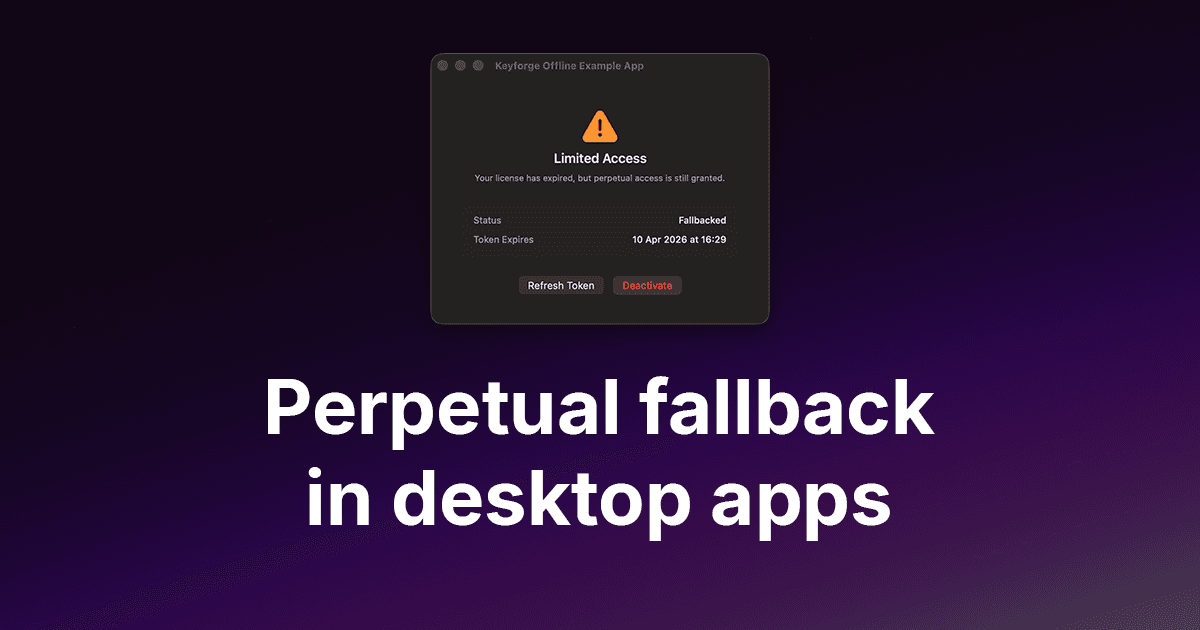
With perpetual fallback access enabled on a Keyforge product, an expired license returns fallbacked instead of expired. Your app checks that status and applies the appropriate feature set:
if (data.status === 'active') {
  // Full access - license is current
} else if (data.status === 'fallbacked') {
  // License lapsed - run in legacy feature mode
  // Show a banner with a renewal link
} else {
  // No valid license
}
The user keeps working. The renewal prompt is a banner, not a lock screen. That is a fundamentally different dynamic.
Graceful degradation
Some apps do not have a clean feature split between old and new. In those cases, the BBEdit model works well: define a limited but genuinely useful mode and let expired licenses run in that mode indefinitely.
The limited mode does not need to be crippled. It just needs to make the value of a renewed license clear. If the user is doing real work in the degraded mode, that is proof the software is worth paying for again. The renewal CTA writes itself.
The anti-piracy argument
Hard cutoffs are commonly justified as piracy prevention. The logic is that a working app without a valid license is a piracy risk. But for desktop software, the realistic threat model is not sophisticated crackers distributing patched binaries. It is ordinary users who let a license lapse and do not want to pay to get back into software they already bought.
A graceful fallback removes the motivation entirely. If the expired license still runs the app in a useful state, circumventing the license check gains almost nothing. The user who was going to look for a crack is now looking at a renewal banner inside the app, which is exactly where you want them.
Pairing with license renewals
Perpetual fallback access works best when renewal is easy. A user in limited mode needs a clear, frictionless path back to full access. With Keyforge, customers can renew directly from the customer portal using just their email address. No support ticket, no re-purchasing. The license expiry date is extended immediately after payment.
You can link to the portal renewal flow directly from the in-app banner, so the path from "I see I'm in limited mode" to "I've renewed and I'm back to full access" is a single click and a checkout form.
For more on how the renewal flow works across all supported payment providers, see our payment integrations post.
How to get started
Perpetual fallback access is a setting on any Keyforge product. Enable it in the Keyforge dashboard, and expired licenses for that product will return fallbacked instead of expired. The rest of the logic lives in your app.
License and distribute your software product with ease
Focus on building your product and let us handle licensing. Manage license keys via payments and give your customers a smooth experience.