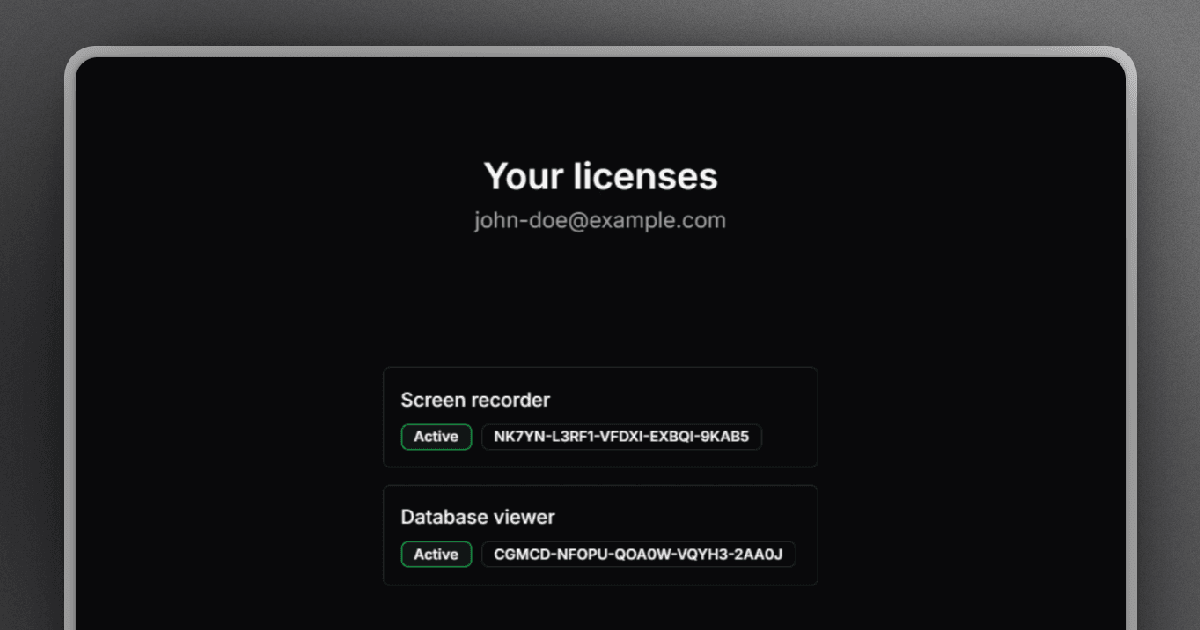
When selling license keys for your software, allowing customers to manage licenses themselves can greatly improve their experience and reduce your support workload. The easiest way to offer an intuitive and self-service customer portal is by using Keyforge.
What customers can do
The Keyforge customer portal gives your users the power to manage their licenses directly. With just their email, they can:
- View all licenses associated with their email address
- See active devices and deactivate them if needed
Additionally, if you're using the Stripe integration, they can also:
- View invoices for their purchases
- Manage subscriptions via the Stripe billing portal
How to set it up
To set up the customer portal, you don't need to do anything special. Keyforge automatically provides a self-service portal for your users. They can request a temporary access link to the portal via email here.
Customizing the experience
You can decide what your users see. From the Keyforge dashboard, you can:
- Hide specific products from showing in the portal
- Prevent customers from removing or resetting active devices
This gives you full control over how much license management your customers can do.
Conclusion
Offering a customer portal for license keys is a great way to empower your users and reduce support tickets. With Keyforge, you can provide a polished and personal self-service portal that improves customer experience without any setup required.
Simplify your licensing process
Focus on building your product and let us handle licensing. Manage license keys via payments and offer your customers a smooth self-serve experience.